
Help Center Analytics: Traffic and Performance Metrics
Track Help Center traffic, views, and engagement using the Analytics dashboard with date range filters and per-article performance metrics.
The Analytics page gives you a comprehensive overview of how your Help Center content performs, showing traffic metrics, trends, and per-article statistics.

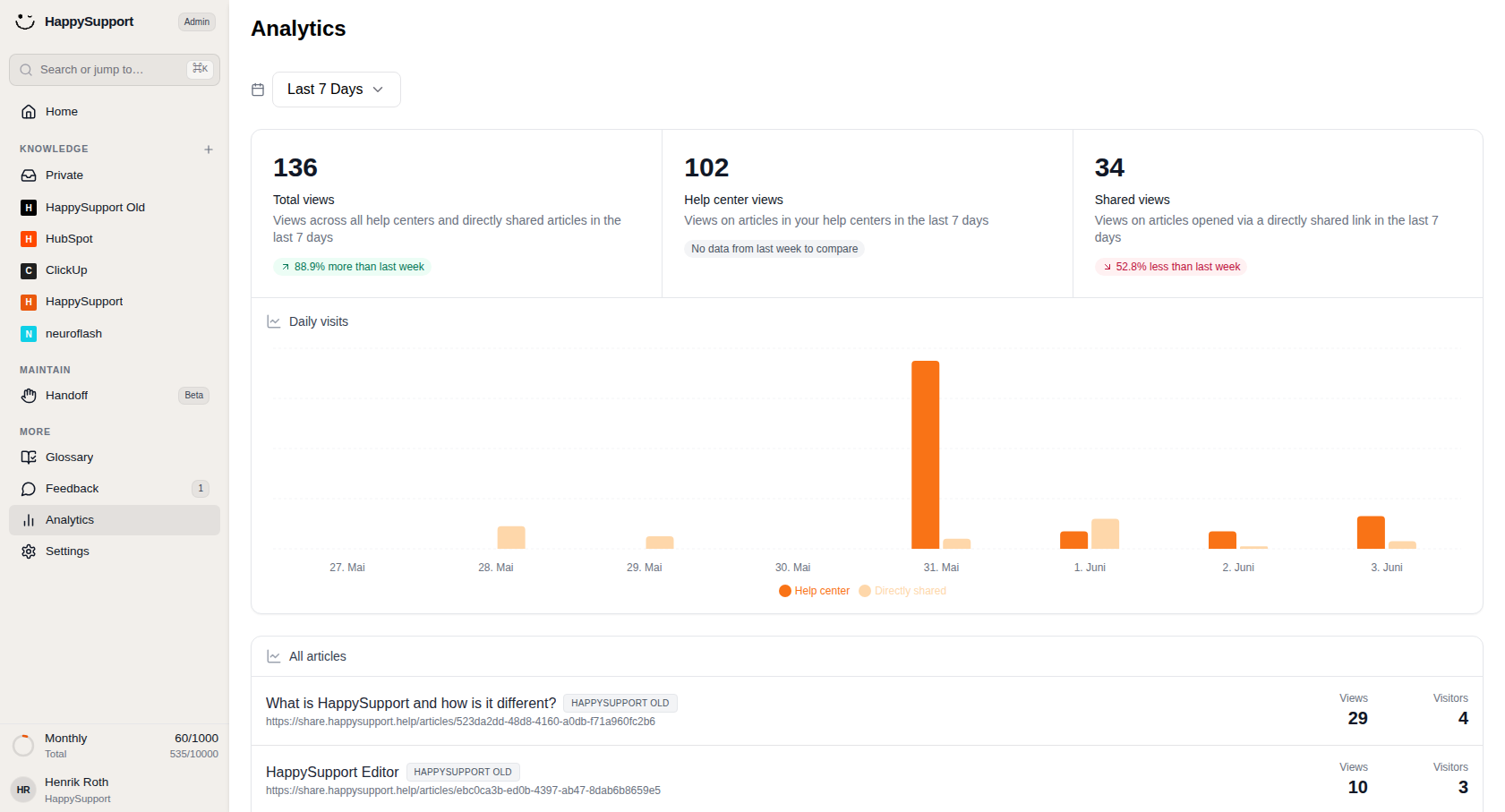
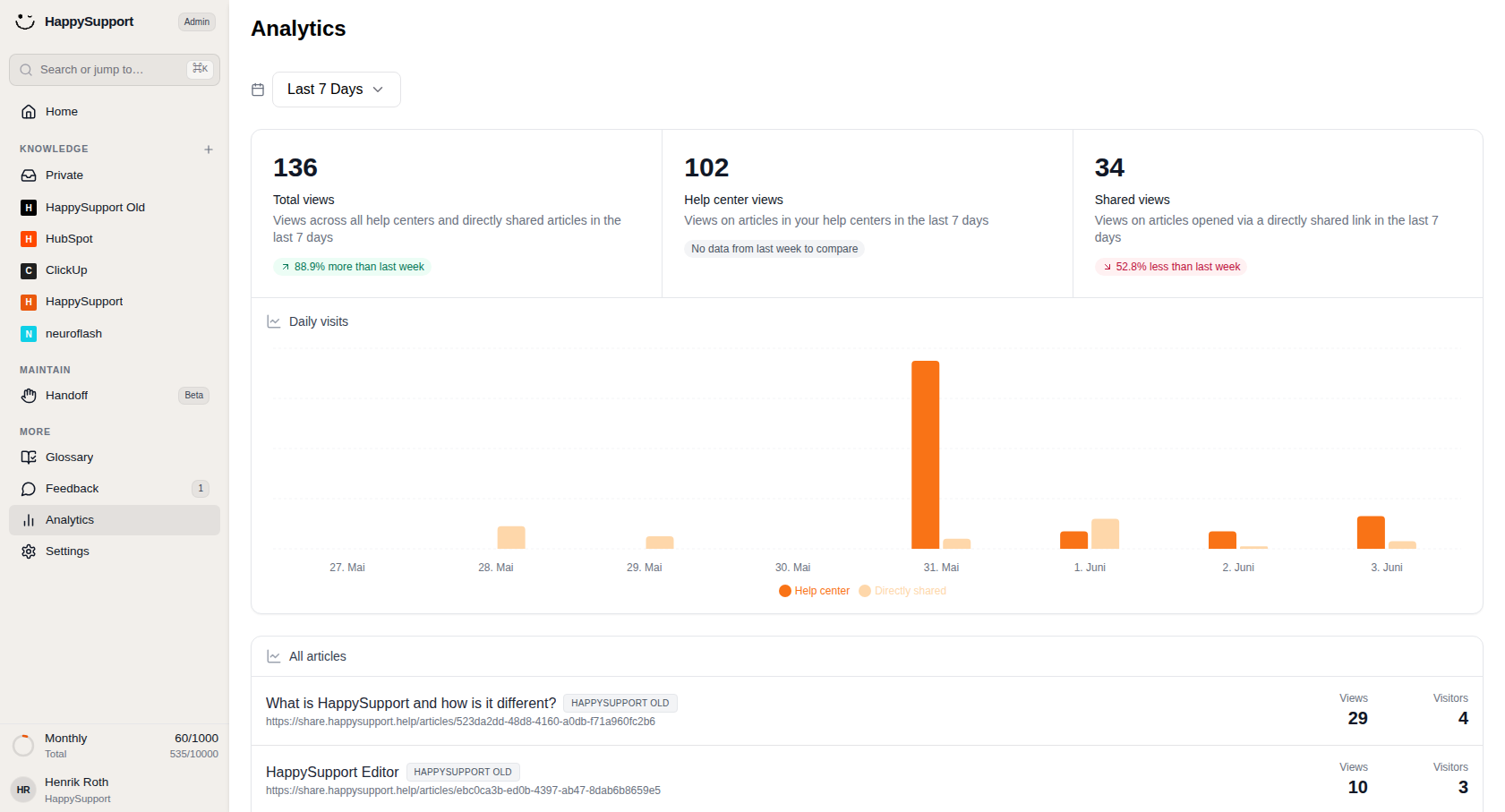
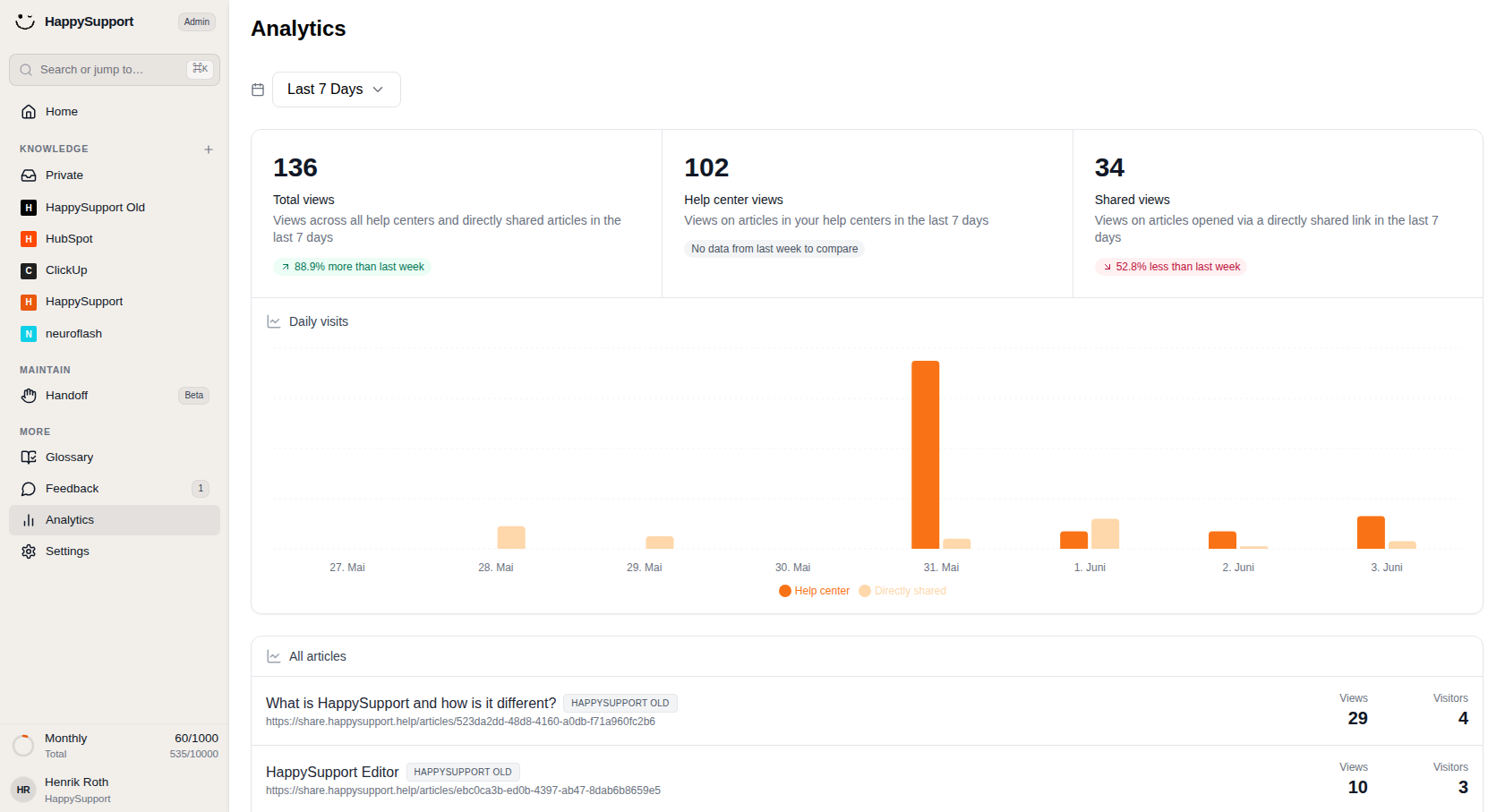
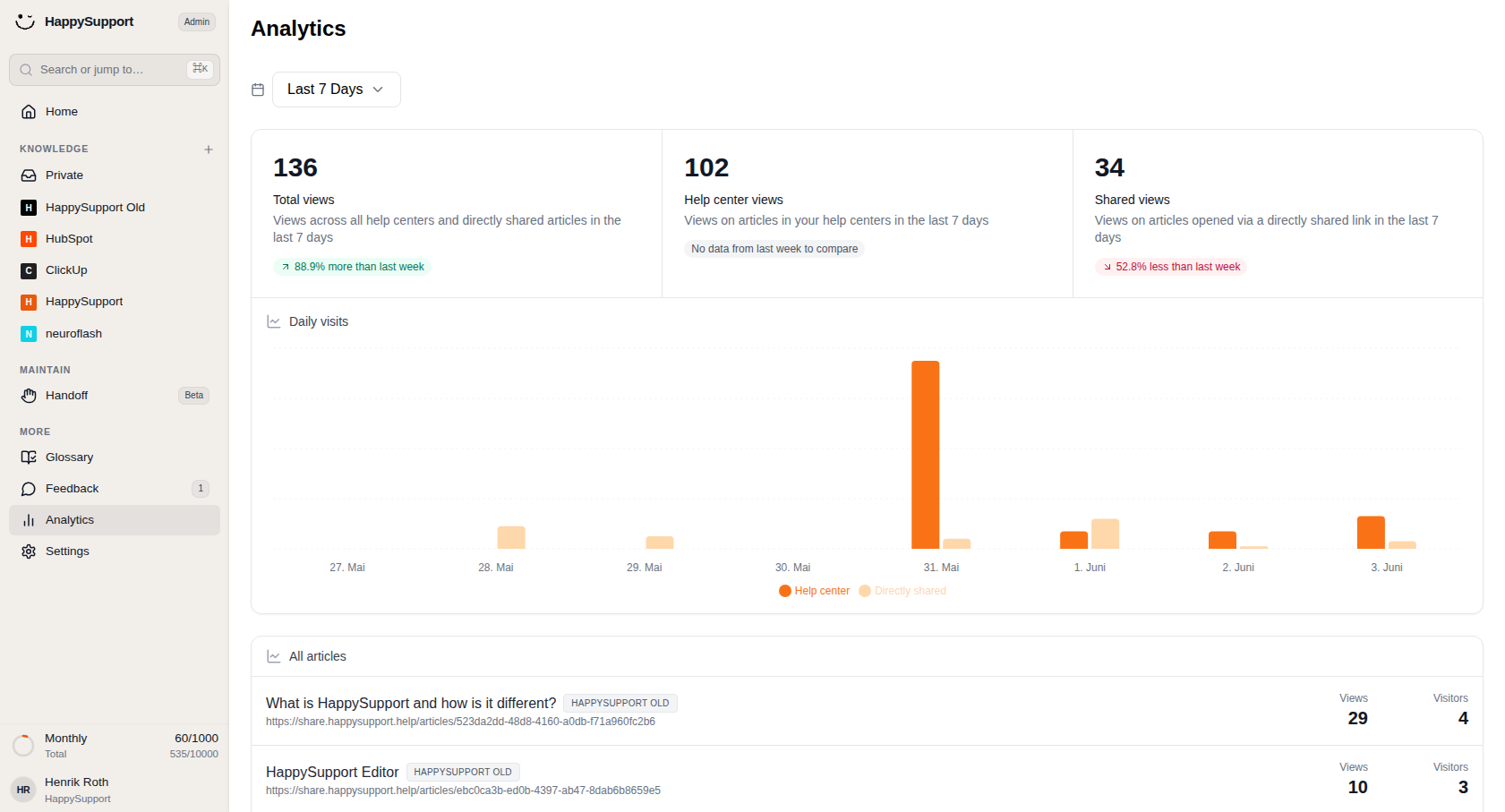
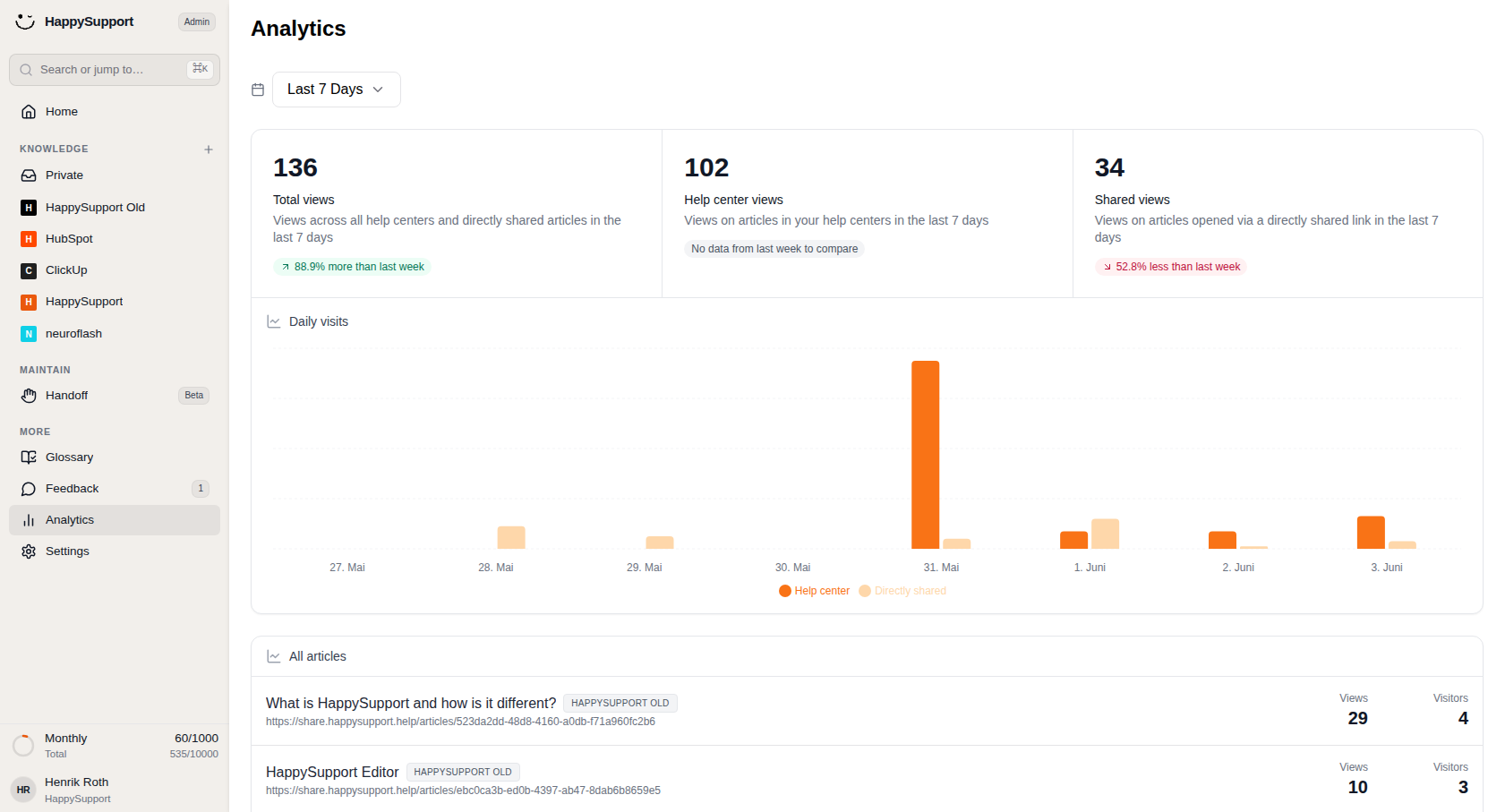
 Open Analytics to see how your help center is performing across views, visits, and articles.1/7
Accessing Analytics
In the left sidebar, you'll find the Analytics entry under the MORE section. Clicking it opens the analytics dashboard in the main content area.
Date Range Filter
At the top of the page, a dropdown control lets you select the reporting period for all displayed data. By default, it shows "Last 7 Days" and includes a calendar icon. Click the dropdown to choose a different time range; all metrics, charts, and article statistics will update accordingly.
Summary Metric Cards
Three cards at the top of the dashboard display your key performance indicators:
Total views: Shows the combined view count across all Help Centers and directly shared articles within the selected period. A green or red badge indicates the percentage change compared to the previous period.
Help Center views: Displays views specifically from articles accessed through your published Help Centers. If there's no historical data available for comparison, a gray note appears instead of a trend indicator.
Shared views: Counts views on articles opened via directly shared links. Like the other cards, it includes a comparison badge showing week-over-week performance (positive in green, negative in red).
Daily Visits Chart
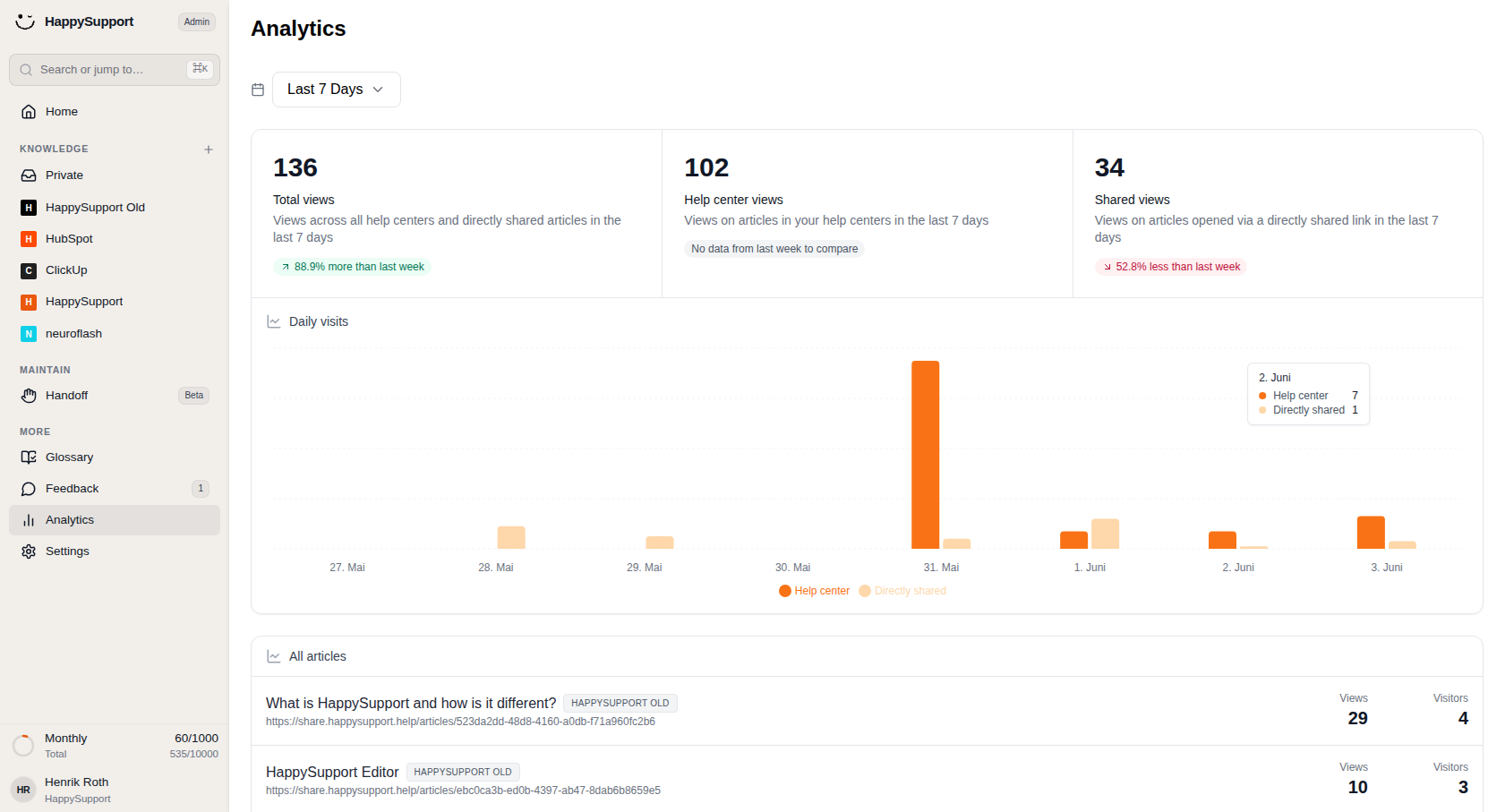
Below the summary cards, the Daily visits bar chart visualizes traffic trends over the selected date range. Two color-coded series break down the data:
- Orange bars represent Help Center traffic
- Lighter peach bars represent Directly shared traffic
Hovering over any bar reveals a tooltip with the exact values for that date. The legend beneath the chart identifies each series. Spikes in the chart help you identify which days saw unusually high or low engagement.
All Articles Table
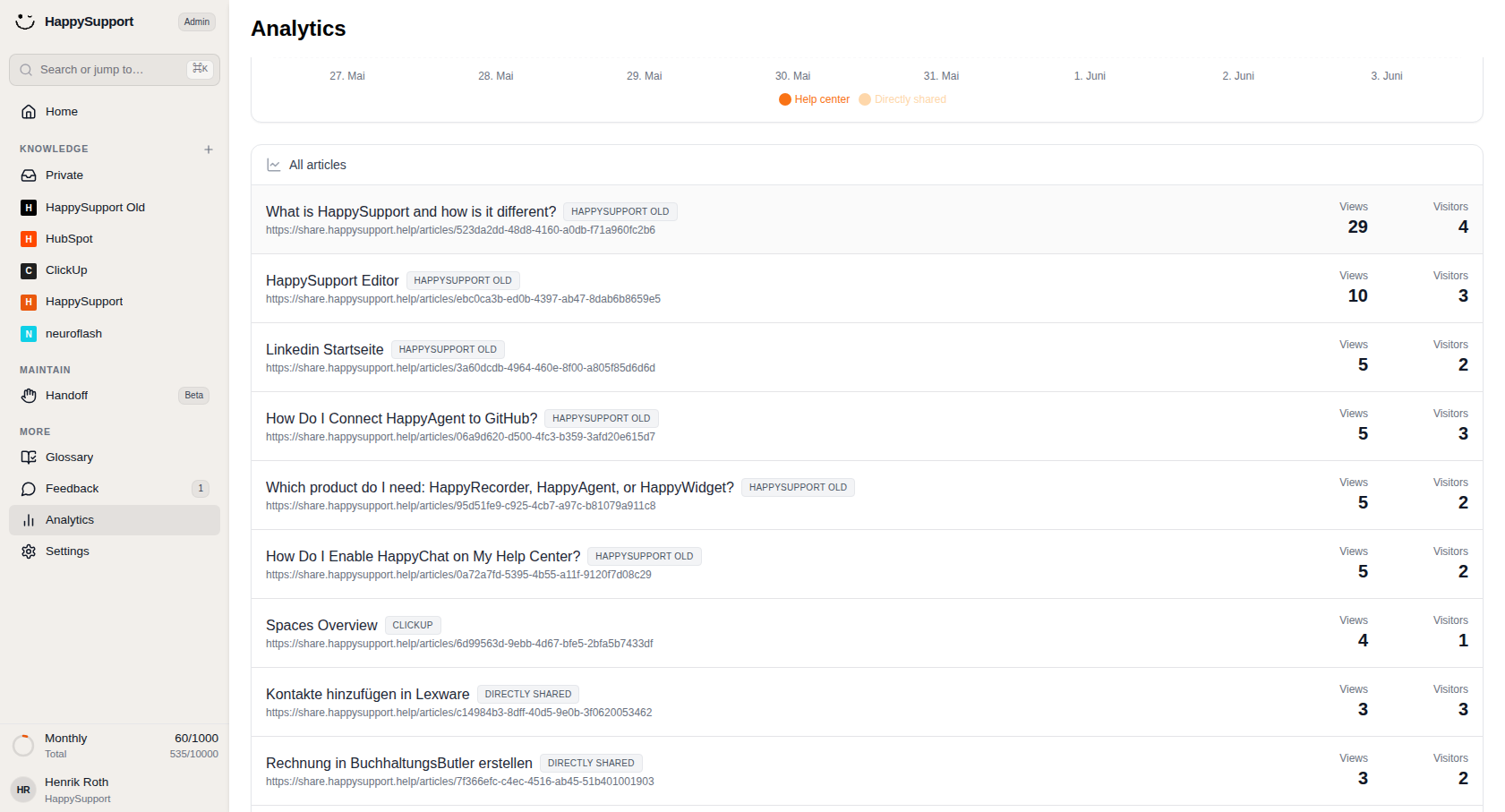
The bottom section lists individual articles with their performance data. Each row includes:
- The article title
- The Help Center name
- The full article URL
- Views: Total number of times the article was viewed
- Visitors: Number of unique visitors who accessed it
You can scan this table to identify your best-performing content or spot articles that might need attention based on low engagement numbers.
 Powered by happysupport.ai